
Download PC Fresh – PC optimization, performance boost, system cleanup, gaming performance, startup manager, background service control
Overview
PC Fresh is a lightweight system utility designed to enhance computer performance, particularly for users seeking a smoother and faster computing experience. Targeted primarily at gamers and general users who rely on their systems for demanding tasks, the software offers tools to manage startup processes, background services, and overall system speed. Its core purpose lies in simplifying system maintenance through an intuitive interface, allowing users to optimize their PCs without requiring technical expertise.
By streamlining resource-heavy processes, PC Fresh aims to reduce lag, improve boot times, and support better responsiveness during high-intensity applications like gaming or multitasking. The developer, PC Fresh, has positioned the tool as a user-friendly solution within the system utilities category. Although specific details about the development team or company background were not provided, the app’s release date of October 7, 2022, indicates it has been available in the market for over two years.
Real-world use cases include preparing a gaming rig before a session, clearing startup clutter for faster boot-ups, and managing background services to free up RAM and CPU. In the broader context of system optimization tools, PC Fresh fills a niche for users who want a no-frills, accessible utility without the complexity of advanced system tools.
Key Features & Functionality
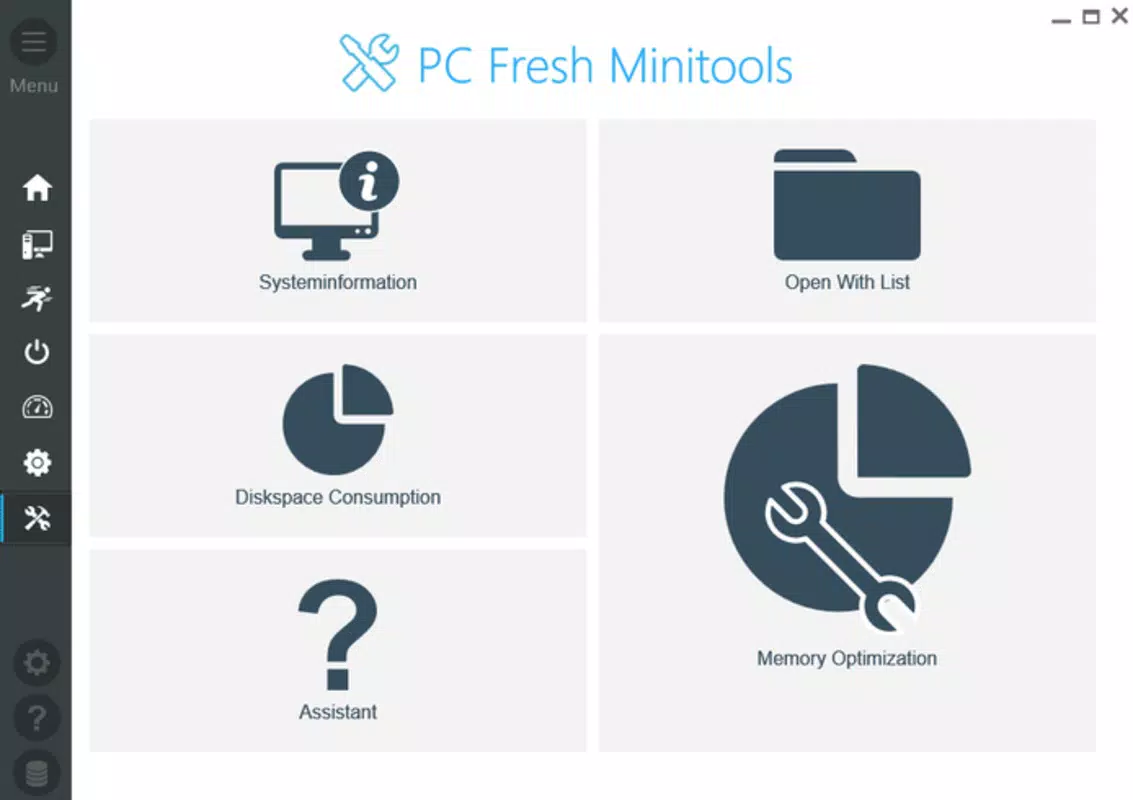
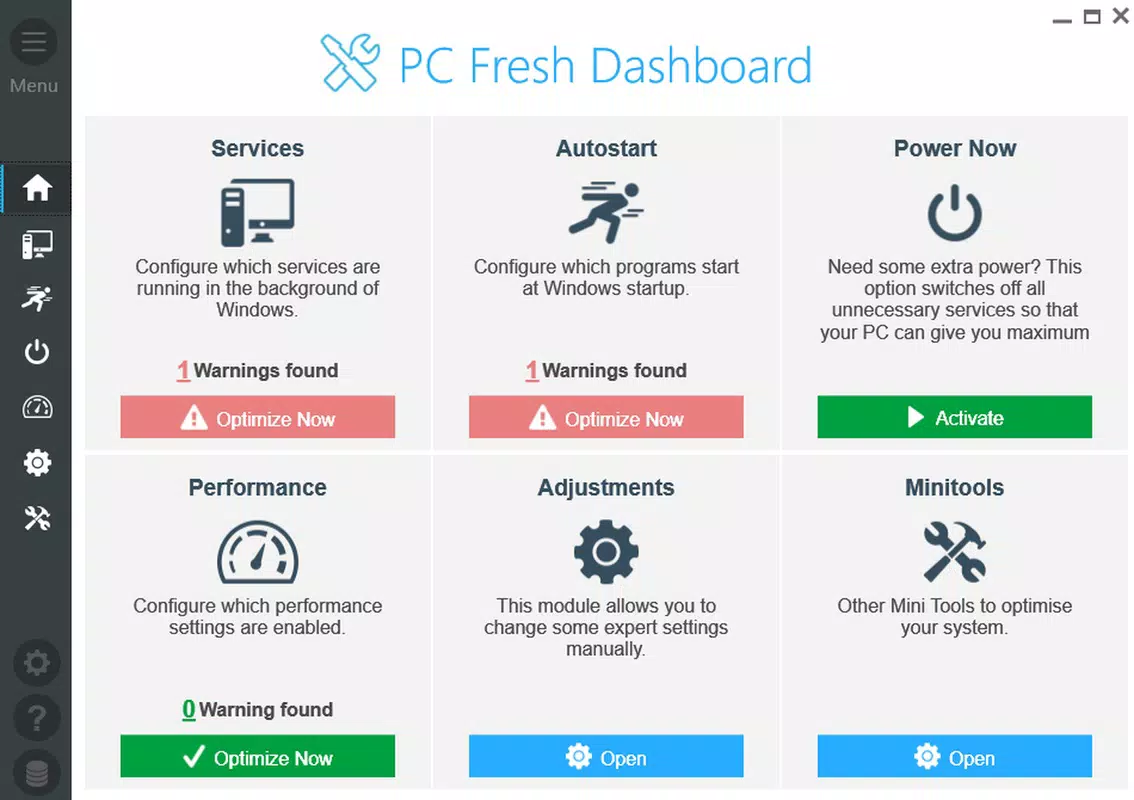
- User-Friendly Interface: The main window is designed for clarity and simplicity, presenting essential tools in an organized layout. Users can access system management features without navigating complex menus, making it ideal for non-technical individuals.
- Automated Issue Detection: PC Fresh scans the system for common performance bottlenecks such as unnecessary startup programs and misbehaving background services. Upon detection, it provides a one-click solution to resolve these issues, reducing manual intervention.
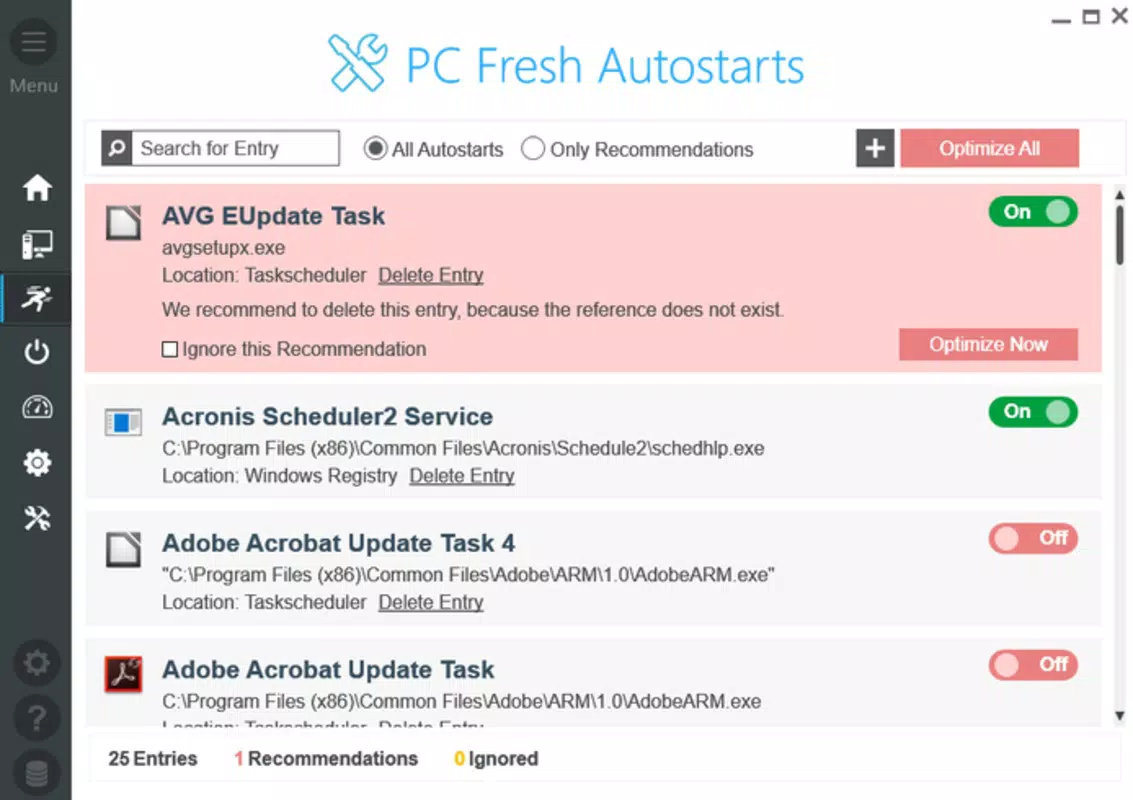
- Background Service Management: Users can view and control which services run in the background. This feature allows selective disabling of non-essential services to free up system resources, particularly beneficial during gaming or intensive workloads.
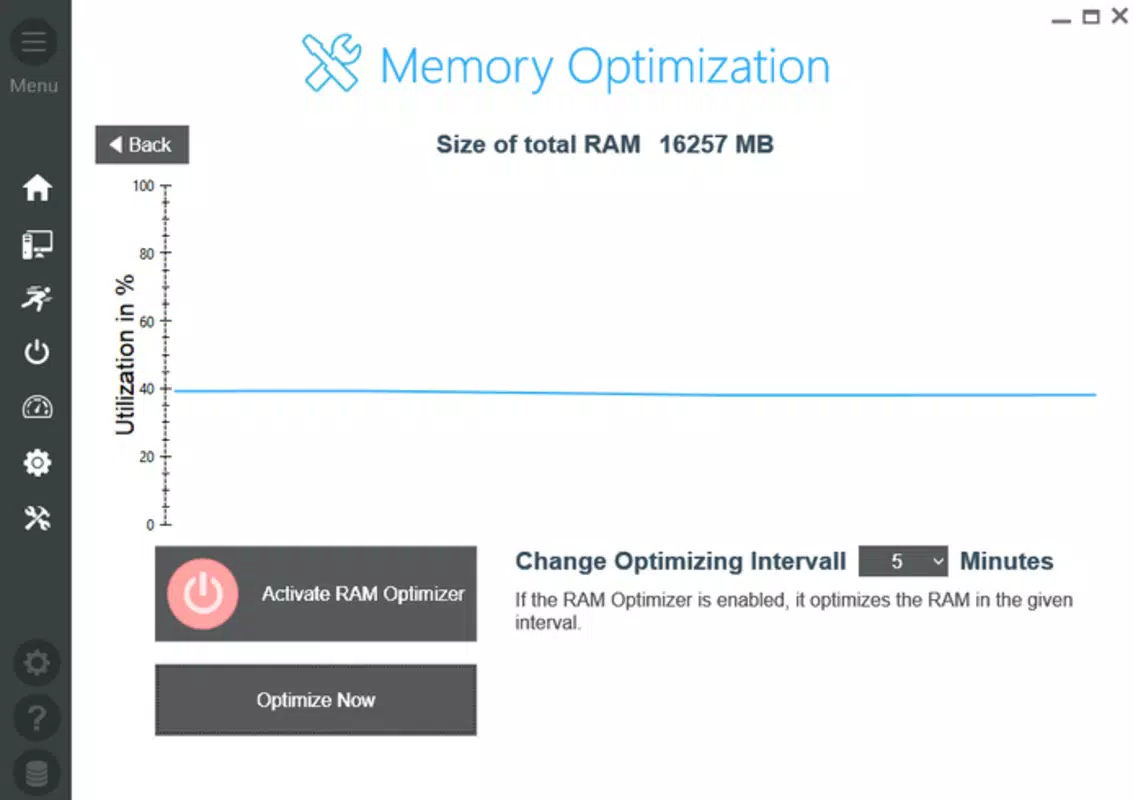
- Gaming Performance Boost: While not a magic solution, the software is optimized to improve system responsiveness and reduce lag, offering a noticeable performance lift for gaming environments.
- General Option Personalization: Customization options let users tailor the software’s behavior based on their usage patterns, such as adjusting scan frequency or setting preferred optimization levels.
For example, a user preparing for an online gaming session can launch PC Fresh, run the automated scan, and apply recommended fixes in under a minute. Another user might use the startup manager to disable unnecessary programs that slow down their boot time. These real-world applications demonstrate how PC Fresh delivers practical value in everyday computing scenarios.
Interface, UX & Performance
The interface of PC Fresh is clean and minimalistic, focusing on essential functions without clutter. Navigation is straightforward, with clearly labeled sections for startup management, background services, and performance diagnostics. The visual style is consistent with modern Windows applications, using a neutral color scheme and readable typography.
Users can quickly identify key actions through icons and concise labels, reducing the learning curve. Although the developer did not list formal performance metrics, the app’s lightweight nature—only 12.4 MB in size—suggests it imposes minimal overhead on system resources. It is likely to run efficiently on a wide range of Windows devices, including older or lower-end hardware.
Responsiveness is smooth during typical operations such as scanning, enabling or disabling services, and applying optimizations. Stability appears reliable, with no reported issues related to crashes or freezes in public documentation. The software does not appear to require constant background activity, which helps maintain system efficiency.
Overall, the user experience is designed to be frictionless, aligning with the app’s goal of accessibility and ease of use.
Platform Compatibility & Technical Requirements
PC Fresh is designed exclusively for the Windows platform, ensuring compatibility with all major versions of the operating system. The software is available in version 1.0.0, with a file size of 12.4 MB, indicating a compact and lightweight installation. The developer did not specify minimum OS requirements, nor did they list specific hardware specifications.
However, the small file size suggests it is optimized for low-resource environments and should function on systems with modest processing power and memory. It is likely compatible with Windows 7 and later, though official confirmation is not provided. The app is distributed as a free tool, allowing users to download and install it without cost.
No additional dependencies or runtime environments were mentioned in the available information. The absence of detailed technical requirements means users should exercise caution when installing on older or non-standard systems, but the app’s minimal footprint reduces the risk of compatibility issues.
Pros and Cons
Pros
- Lightweight design with minimal system impact
- Simple, intuitive interface suitable for beginners
- Automated issue detection reduces manual troubleshooting
- Effective startup and background service management
- Free to download and use
Cons
- Specific system requirements were not disclosed
- No advanced diagnostic tools for deep system analysis
- Performance improvements may vary depending on hardware
- Limited customization beyond basic settings
- Developer did not provide detailed update history
FAQ
Is PC Fresh safe to download and install?
Yes, PC Fresh is distributed as a free tool with no reported malware or intrusive behavior. Its small file size and lack of third-party dependencies contribute to its security profile. Users should always download from official sources to ensure authenticity.
Can I use PC Fresh on older Windows systems?
While the developer did not specify compatibility details, the app’s lightweight nature suggests it may work on older Windows versions. However, no official confirmation was provided, so users should verify compatibility on their specific system.
Does PC Fresh require an internet connection?
Basic functionality such as managing startup items and background services does not require an internet connection. However, automated issue detection may rely on online resources for updates or definitions, though this was not explicitly stated.
How often should I run PC Fresh?
Users can run the tool as needed—such as before gaming sessions or when noticing slowdowns. There is no fixed schedule, and the app does not require continuous background operation.
Is PC Fresh available for macOS or Linux?
PC Fresh is currently available only for Windows. No information was provided about versions for macOS or Linux platforms.
Final Thoughts
PC Fresh delivers a focused, accessible solution for users seeking to improve their PC’s performance without diving into complex system tools. Its streamlined interface and automated optimization features make it a practical choice for gamers and everyday users alike. While it won’t transform outdated hardware into a high-end machine, it provides tangible benefits in speed, startup time, and system responsiveness.
The absence of technical requirements and the free pricing model enhance its appeal, especially for those new to system maintenance. For users looking for a no-nonsense, lightweight utility to manage startup processes and background services, PC Fresh stands out as a reliable option. Its balance of simplicity and functionality makes it a valuable addition to any Windows user’s toolkit.
Download PC Fresh now.


